Engineers in most fabs already use an AI assistant for something: drafting a report, reading a log, summarising a shift. Sooner or later someone asks it about the tools, and it has nothing to read. The equipment data sits behind the host, in SECS messages and alarm tables the assistant cannot reach.
FabConnect 0.6.0 adds FabConnect Assist: read access for your own AI agents, over the Model Context Protocol (MCP). An agent whose MCP client connects over Streamable HTTP can ask FabConnect questions and get answers from its stored records. This post covers what it can read, and the limits on what it can reach.
What an agent can read
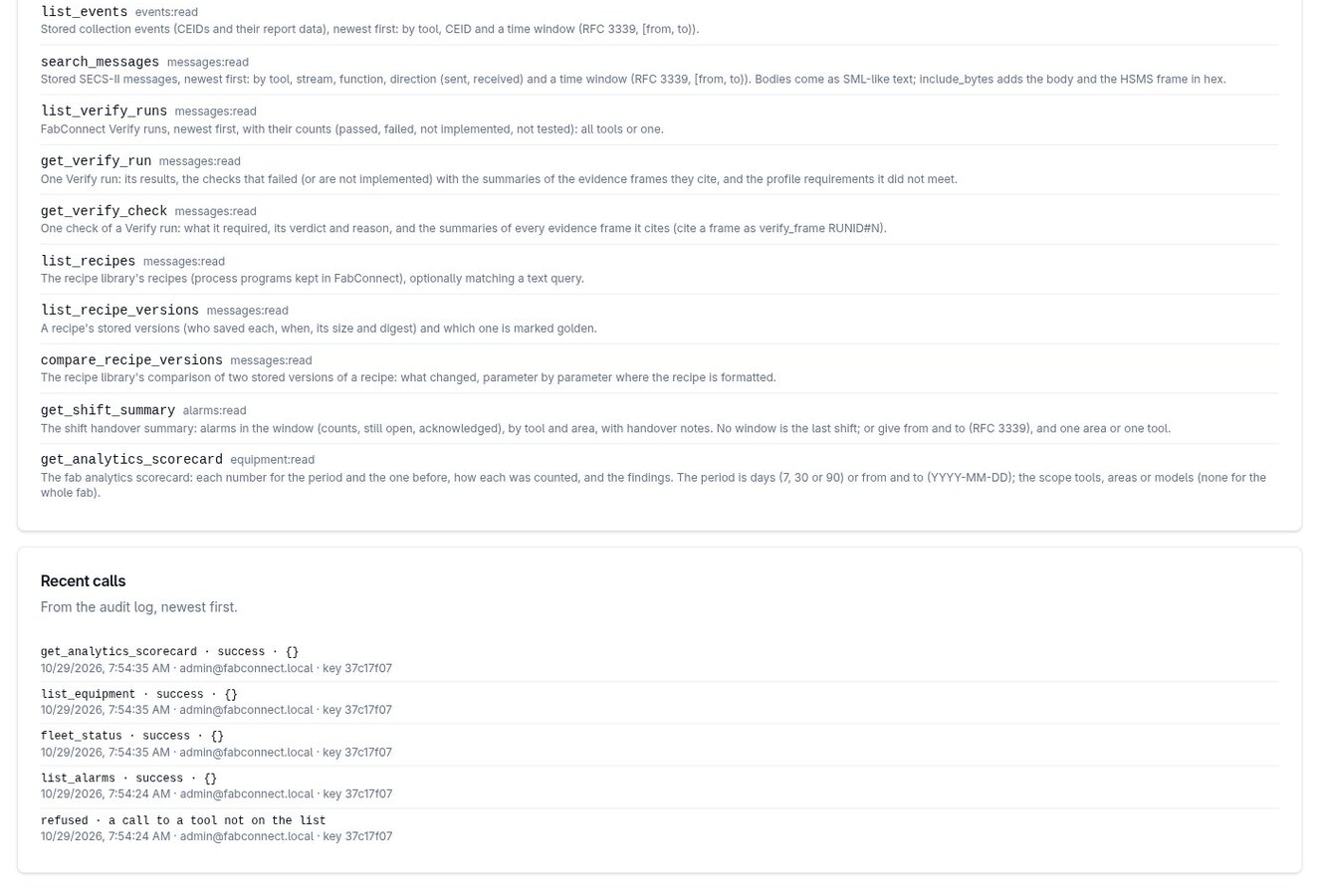
Assist exposes a fixed list of tools, each a read over records FabConnect already keeps:
- equipment and fleet status, from stored state;
- alarms, and the context of one alarm: its notes, earlier occurrences, and the SECS messages around it;
- events, and a search over SECS messages, with bodies shown as readable text;
- FabConnect Verify runs and their failed checks;
- recipes, their versions, and a comparison of two versions;
- a shift’s summary, and the Analytics scorecard with how each number was counted.
Every result lists the records it came from: ids, the time window read, and when. An agent can then cite its sources instead of paraphrasing from memory, and a person can check them.
Why read-only, and how it stays that way
An agent that can act on a tool is a different conversation in a fab, and not one FabConnect Assist has. So Assist is built so that nothing an agent asks can reach equipment:
- No tool sends anything to a tool. Every Assist tool reads stored data. None can send a SECS message, start a job, send a recipe or change a constant. Tests check this from three directions, including an end-to-end run that watches the tool for host messages while every Assist tool runs.
- A key that reaches nothing else. Assist accepts only keys made for it, and those keys hold read permissions only. They are refused on every other API route, so a key copied out of an agent’s configuration cannot be used to ask a tool for live values.
- Every tool call audited. Each call is written to FabConnect’s hash-chained audit log, with the key, the tool and its arguments, before the answer is returned. If the record cannot be written, no answer is sent.
- Your tenant only. Every read runs in the key’s tenant, with the database’s row-level security, exactly as the REST API does.
- Bounded answers. Rows and bytes are capped, and an answer that was cut says so.
Over MCP, FabConnect calls no model and sends nothing outside the fab. Where the agent runs, and which model it uses, stays your decision and your policy.
Turning it on
Assist is off until enabled. An administrator sets assist.mcp.enabled on the gateway, then creates a key in the console with Create a read-only key for FabConnect Assist. The FabConnect Assist (MCP) tab under Integrations shows the endpoint, a client configuration example, the tool list and recent calls. The endpoint is /api/v1/assist/mcp on the gateway’s own host, port and TLS.
The label
FabConnect Assist: read-only agent access. Tested with FabConnect’s own MCP test client against simulated tools. Like the rest of FabConnect, it has not yet run in a production fab, and no third-party MCP client has been tested with it.
If your team wants to try its own agents against FabConnect’s records, the docs page has the details, and sales@fabconnect.io answers questions.